











How to Place an Order
1. Online

See login options below (Section 2).
Once logged in, you can view our products on our website by category or by searching by keyword. Alternatively, you can flip through our digital catalogues or take a showroom virtual tour to place an order.
Once you've logged into your account, you can access past orders, download images, review your account information and more.
2. Call your Abbott Sales Rep

Connect with your dedicated Sales Rep who will come to you! Click here to find your Rep or call 1-800-263-2955 and our inside sales team will guide you.

How to Log into Your Account
How to log in
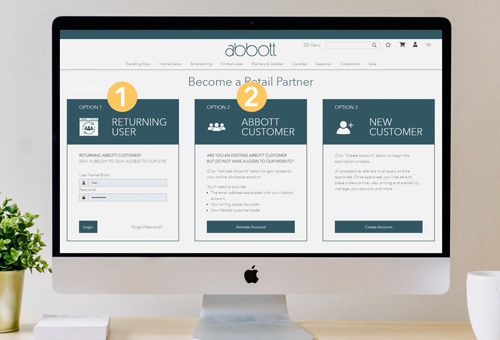
Sign into your account on the Become a Retail Partner page.
If you are a Returning Customer, go to Option 1.
If you are an existing customer but do not have a website login, click on Option 2 and click “Activate Account”.
How to create a new account
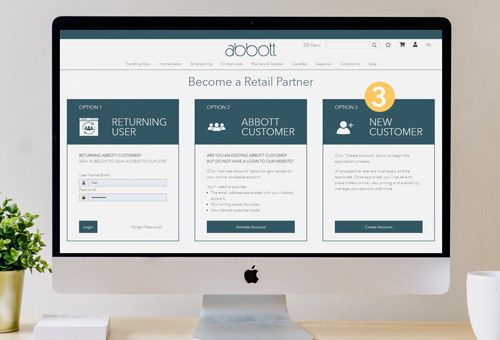
If you are not yet an Abbott customer, go to our Become a Retail Partner page.
Chose Option 3 and click “Create Account". Then, fill out the new customer registration form and submit it. An Abbott Representative will get back to you within 24 hours.
Other ways to create an Account
Sign up with your Rep

Our Reps are available to create new accounts. Find a Rep in your region and contact them directly, or call us at (416) 789-7663 or (800) 263-2955 and customer service will direct you.
Sign up at our Showroom

If you would like to check out our products before signing up, feel free to visit us at our showrooms and then sign up for an account at the front desk.
Fill out a printed form